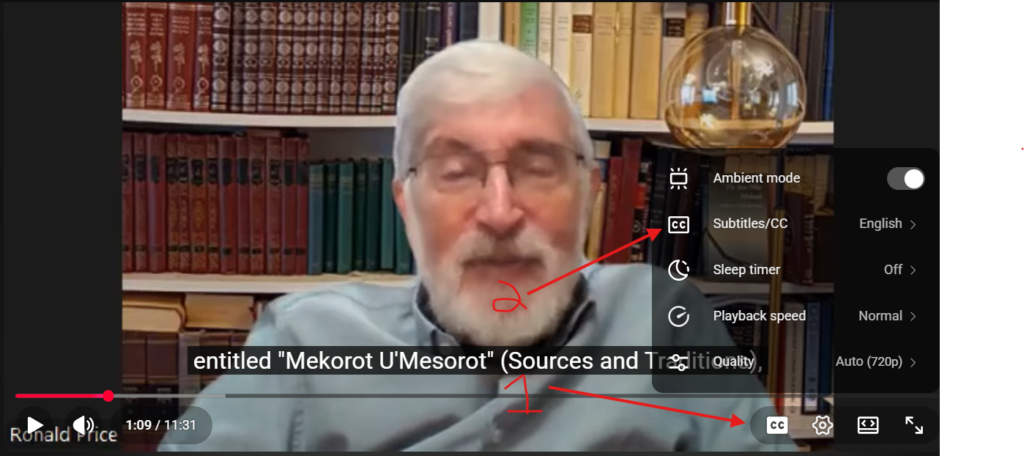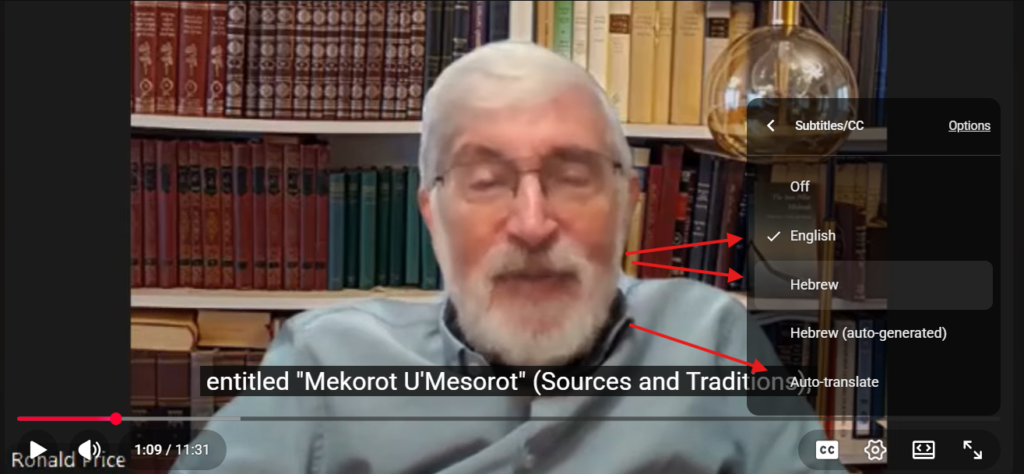


See screenshots below for further clarification.
Press the CC button to see subtitles (if they are not already on).
To change languages, click on “Subtitles/CC” and then choose the language.
Pro tip: For many YouTube videos in any language, you can go to the “Subtitles/CC” setting and choose “auto translate” for YouTube to do an automatic translation (which generally is pretty good) into your language of choice.